Free tools & guides
GLP-1 Pen Room-Temperature Timer
If you keep your GLP-1 pen in the fridge between doses, there's usually a stretch of waiting before it's comfortable to inject. Pokii's room-temperature timer turns that wait into a simple, trackable step in your shot-day routine: start the countdown when you take the pen out, and Pokii lets you know when time is up, so you're not eyeballing the clock or setting a separate reminder on your phone.
Why letting a refrigerated pen warm up matters
Many GLP-1 pens are stored in the refrigerator between uses, and common patient guidance suggests giving a chilled pen time to reach room temperature before injecting, since injecting straight from the fridge can feel more uncomfortable than injecting a pen that's had time to warm up. Pokii doesn't replace the storage and handling instructions that come with your specific medication or your provider's guidance, but it gives you a consistent way to build that waiting period into your routine instead of relying on memory or guesswork.
Because the right amount of time can vary depending on the medication and how a person prefers to time their shot, Pokii doesn't force you into a single fixed number. Instead, the room-temperature timer offers a range of presets you can choose from on shot day, so you can match the countdown to whatever timing works for your pen and your own routine, rather than being locked into someone else's default.
How Pokii's timer and notifications work
The room-temperature timer lives right in Pokii's shot-day flow, so you don't have to leave the app or dig through settings to start it. When you're getting ready to inject, you pick one of the built-in timer presets, tap to start, and Pokii runs a countdown in the background while you go about the rest of your prep. You're free to check other things on your dashboard, log a check-in, or simply put your phone down; the timer keeps running either way.
When the countdown finishes, Pokii triggers a notification and alarm so you know your pen has reached room temperature and is ready to inject. The alarm sound itself is configurable, so you can choose a style that actually gets your attention rather than blending in with other app notifications, which matters if you tend to start the timer and then get distracted by something else on shot day. Between the preset options and the countdown-plus-alarm pairing, the goal is to make the warm-up wait something Pokii tracks for you instead of something you have to remember on your own.
How it ties into shot-day banners
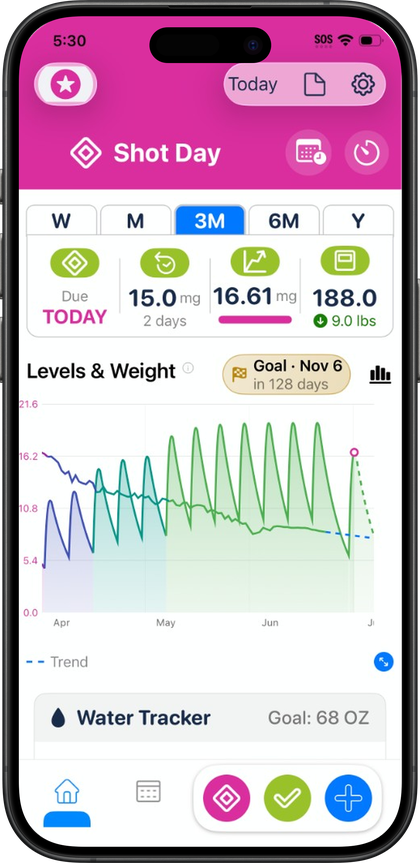
Starting the room-temperature timer only helps if you remember to start it in the first place, which is where Pokii's shot-day banners come in. Pokii shows a dashboard banner when a dose is due or running late, based on your medication's schedule, so shot day itself isn't something you have to keep in your head. That banner is also a natural cue to pull your pen out of the fridge and start the room-temperature timer right then, before you move on to the rest of your injection routine.
If a dose slips past its scheduled time, the overdue banner sticks around and links directly to rescheduling, so you're not left wondering whether today is still the day or trying to reconstruct your timing after the fact. Used together, the shot-day banner tells you it's time to prepare, the room-temperature timer handles the warm-up wait once you've taken the pen out, and the alarm notification tells you when it's safe to move on to injecting. None of these pieces requires you to hold the schedule or the countdown in your memory; Pokii is tracking both so shot day stays predictable from the moment your dose is due to the moment you're ready to inject.
Always follow your prescriber’s instructions for GLP-1 medications. Pokii helps you log and visualize your journey; it does not replace professional care.