If you take more than one GLP-1 medication you can now star your most-used medicines so they're always one tap away on the Add Shot screen.
Open the Select Medicine list (tap the medicine name on the Add Shot screen, or access it through the medicines manager in Settings). You'll see a star icon to the right of each medicine.
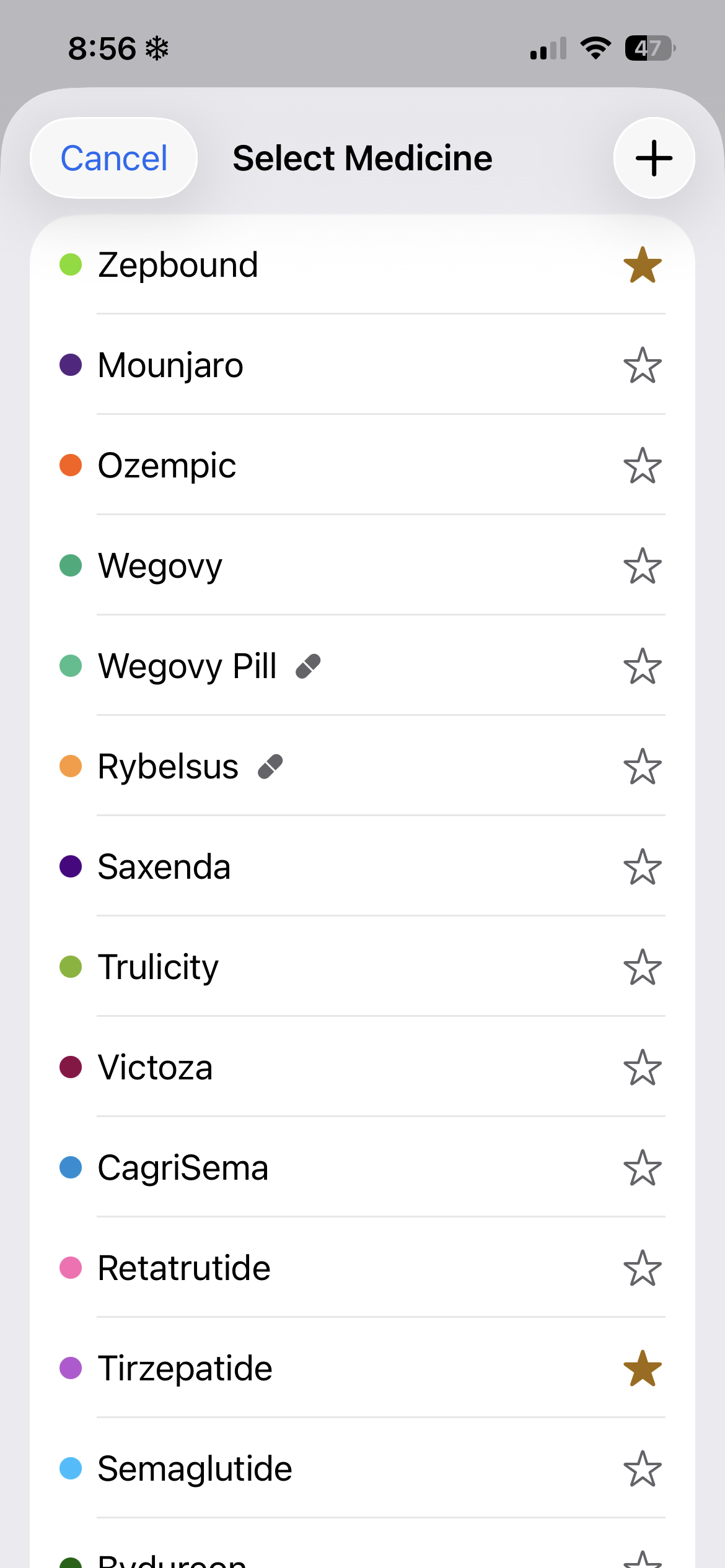
Once you've starred a medicine, it shows up as a quick-select chip at the top of the Add Shot screen. No scrolling through the full list — just tap the one you're logging for today.
If you take multiple medications, all of your favorites appear together, making it easy to switch between them and log each shot separately without digging through menus.
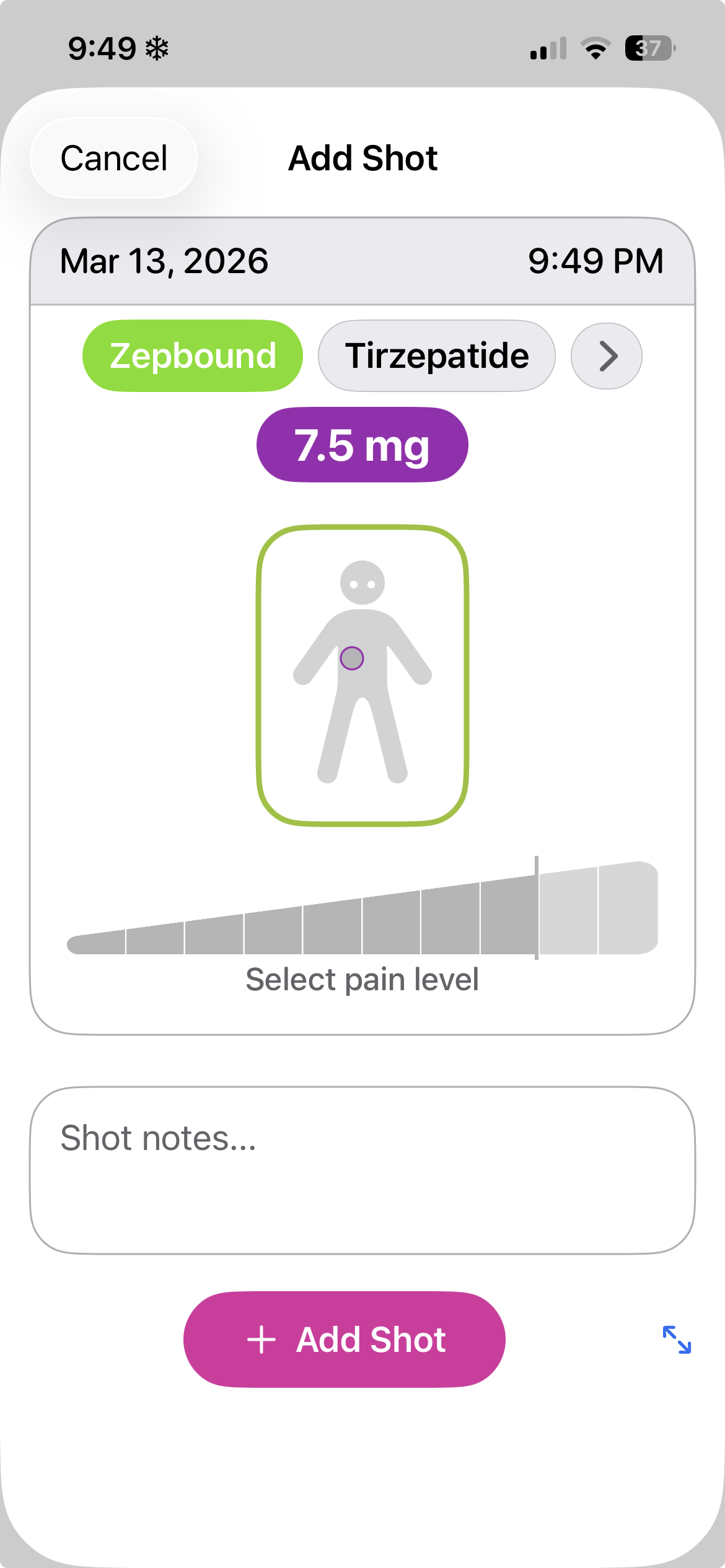 Tip: The currently selected medicine is highlighted. Tap a different chip to switch medicines — the dose will update for that med.
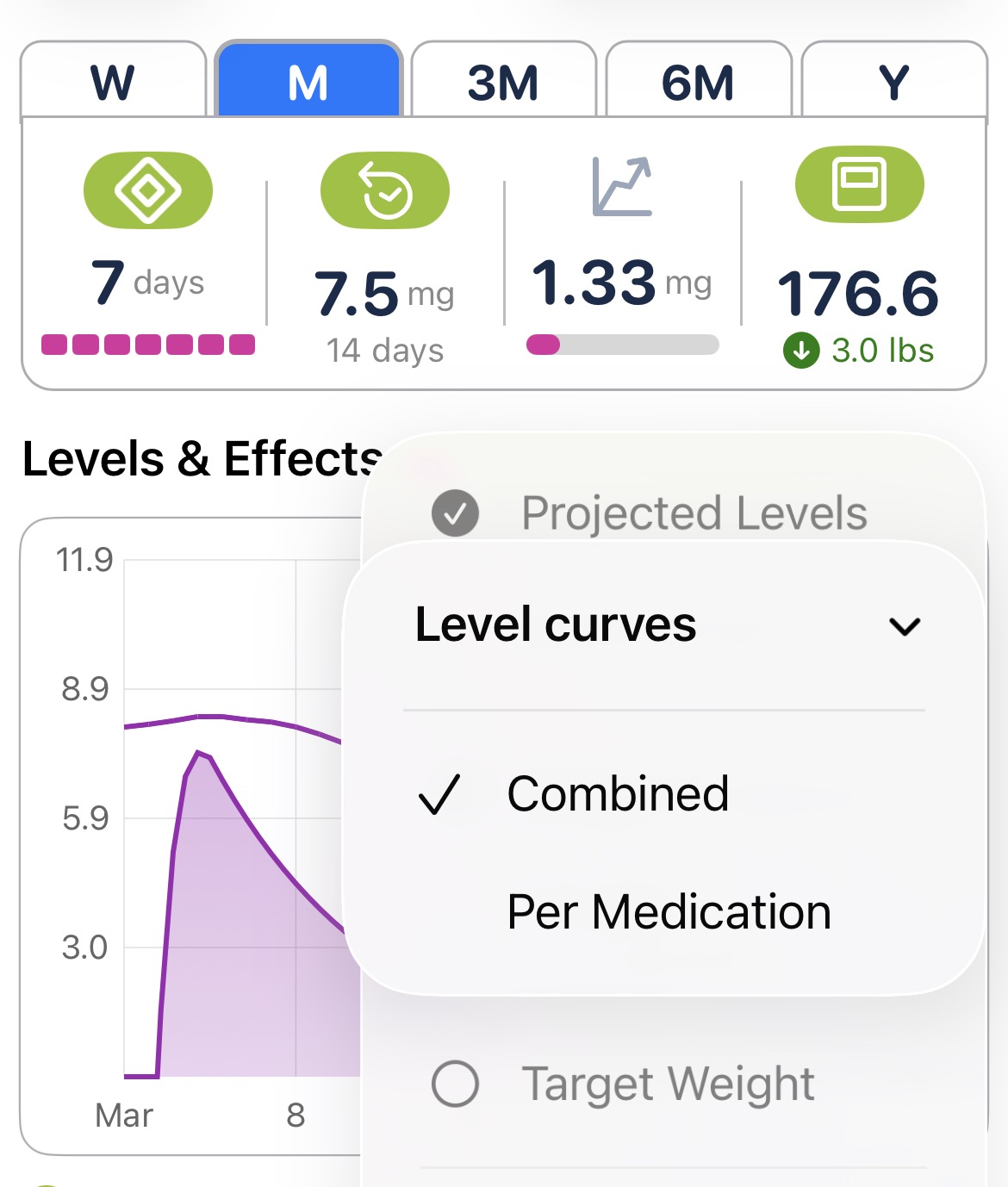
When you're logging more than one medication, you can choose how the projected level curve shows up on your chart. Head to Settings → Charts → Projected Levels → Level curves and pick one of two modes:
If the medicine you take isn't in the list, add it!