Rotating where you inject is important for avoiding skin irritation and keeping absorption consistent. Pokii can track your current site, remind you to rotate, and even guide you through a custom sequence if you want to be more deliberate about it.
Every time you log a shot, you'll see the injection site picker — a body figure with tappable sites. Your last injection site is highlighted in your dosage color so you can see at a glance where you injected most recently.
If you've setup a rotation, you'll see another circle with a dot. That's your next injection site, just tap it to record today's shot. That's all you need to do to keep your site history accurate.
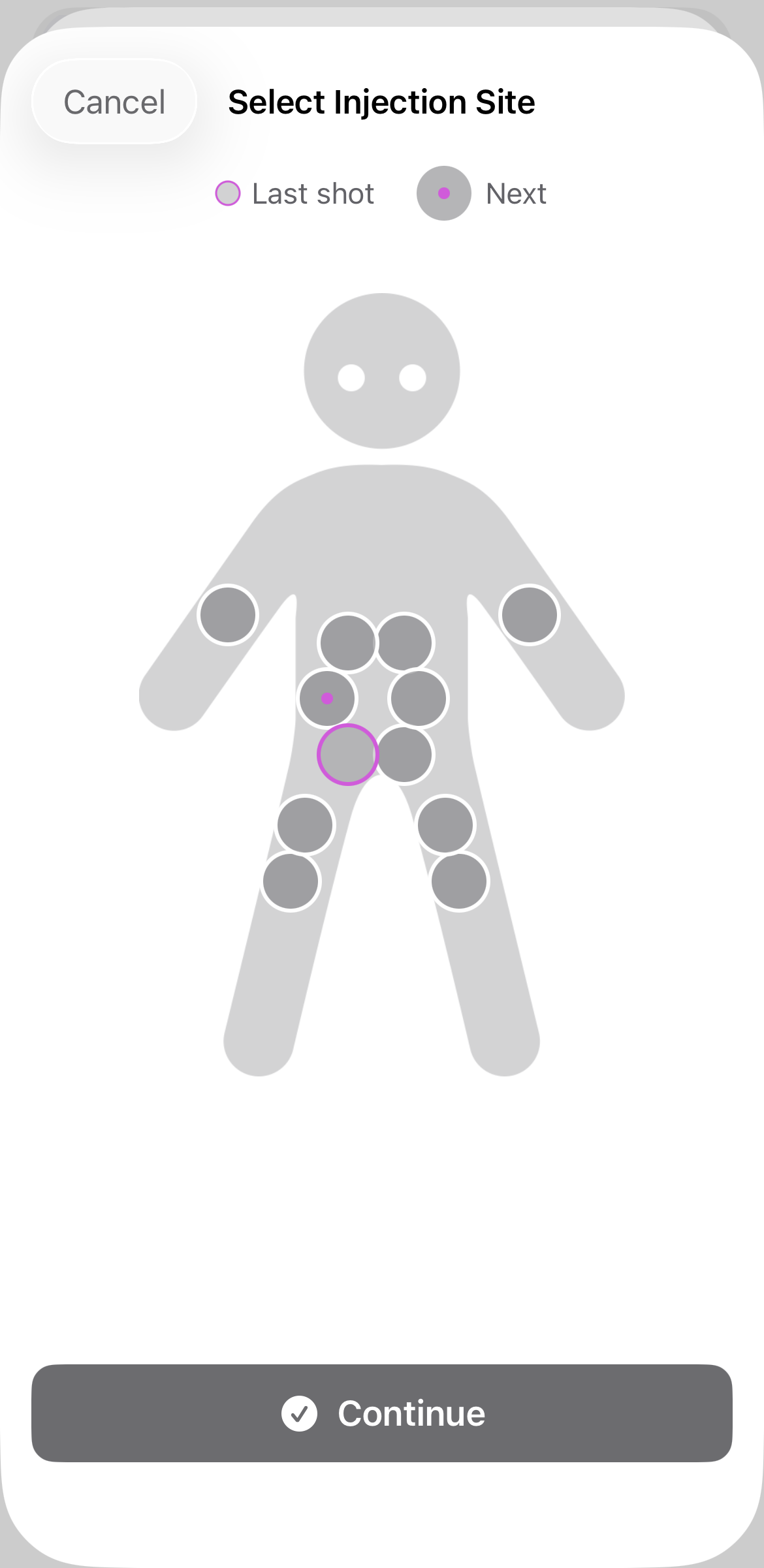
If you want Pokii to suggest your next site automatically like this, you can set up a custom rotation sequence. Go to Settings → Shots → Site Rotation and choose the sites you want to cycle through in the order you prefer.
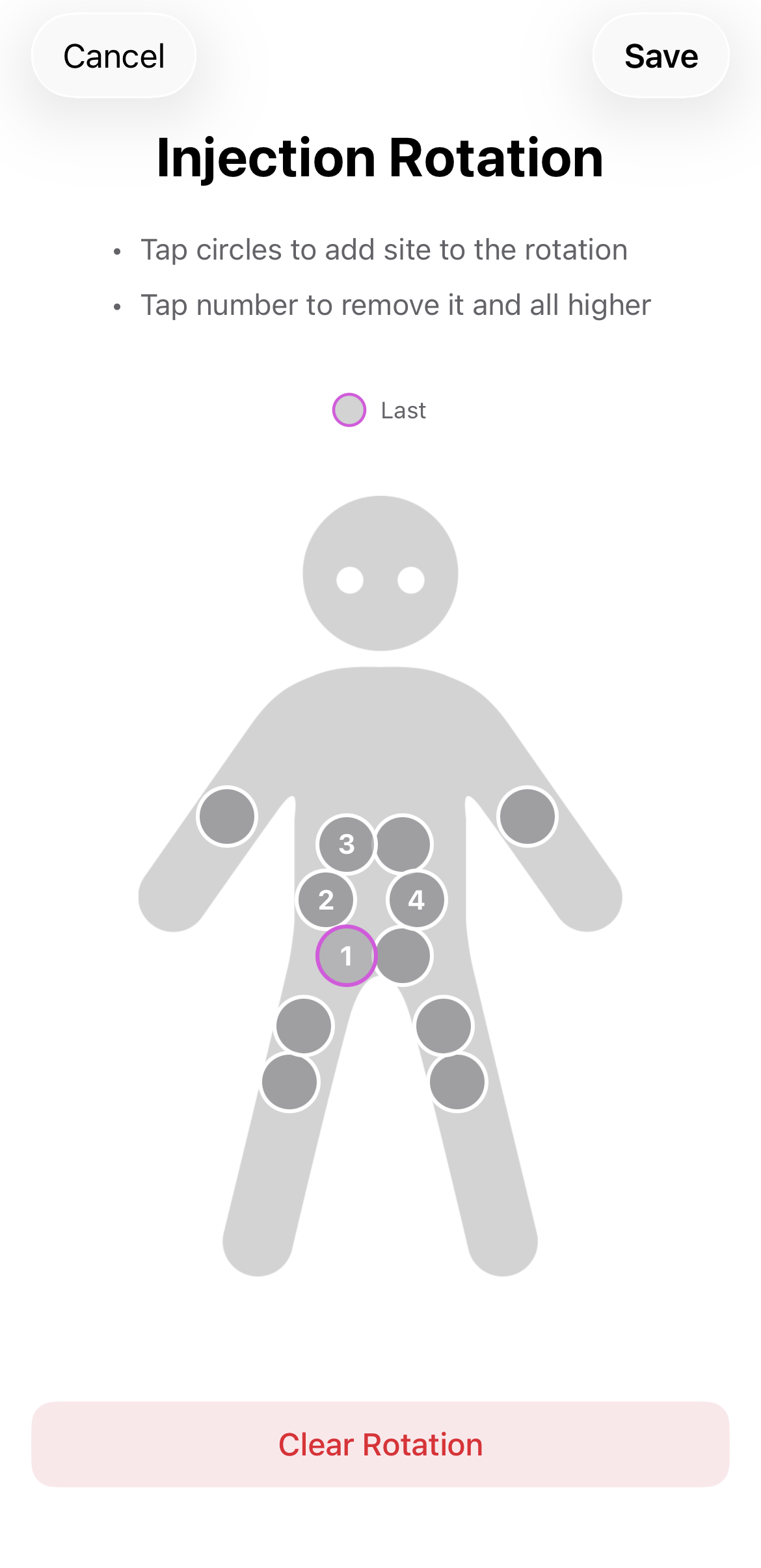 Tip: You can access your site rotation directly from the bottom of the Next Shot page — just tap the next shot dashboard card.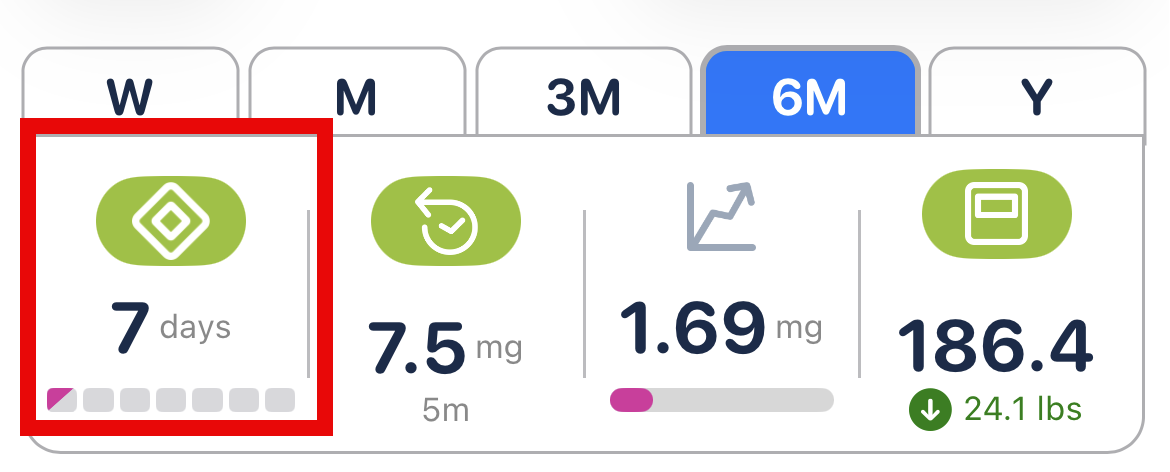
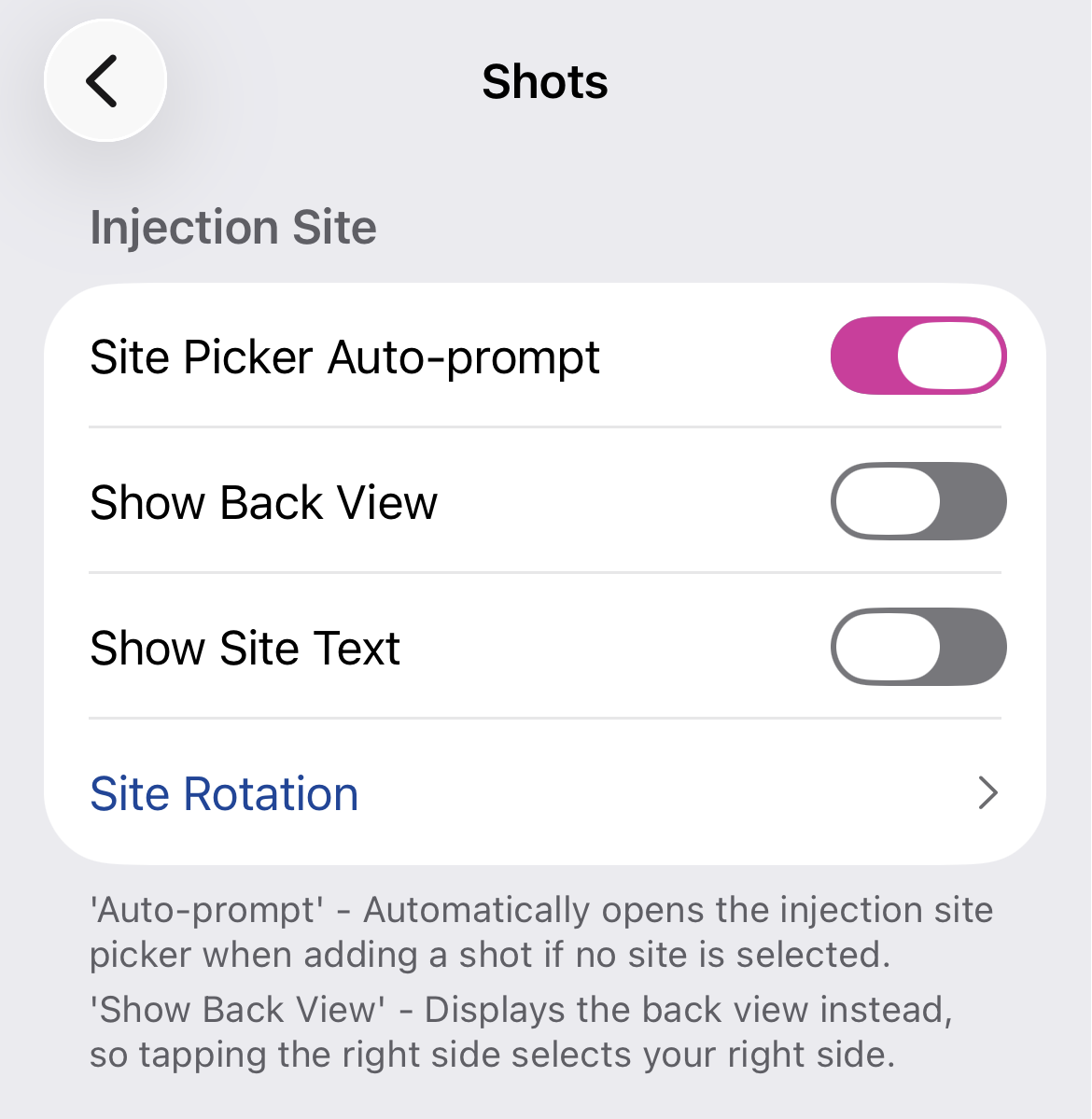
Don't want to think about it at all? Enable the auto-prompt option in Settings → Shots → Site Picker Auto-prompt. When this is on, the injection site picker opens automatically every time you add a shot — so you can never forget to log where you injected. You don't even need to click the body figure
Your injection site is saved with every shot. You can see it in the daily log from the dashboard or the calendar view.
Note: Site rotation suggestions are based on the sequence you configure and are for tracking purposes only — always follow your healthcare provider's guidance on injection site selection.