Your weight can bounce around from day to day — water retention, meal timing, and a dozen other things can cause the number on the scale to jump. The weight trend line on your Levels & Effects chart cuts through all that noise and shows you the direction you're actually heading.
The chart shows two things related to weight:
If you've enabled the weight trend projection, you'll also see a dashed line extending past your most recent weigh-in. This is Pokii's best estimate of where your weight is heading based on your current trend.
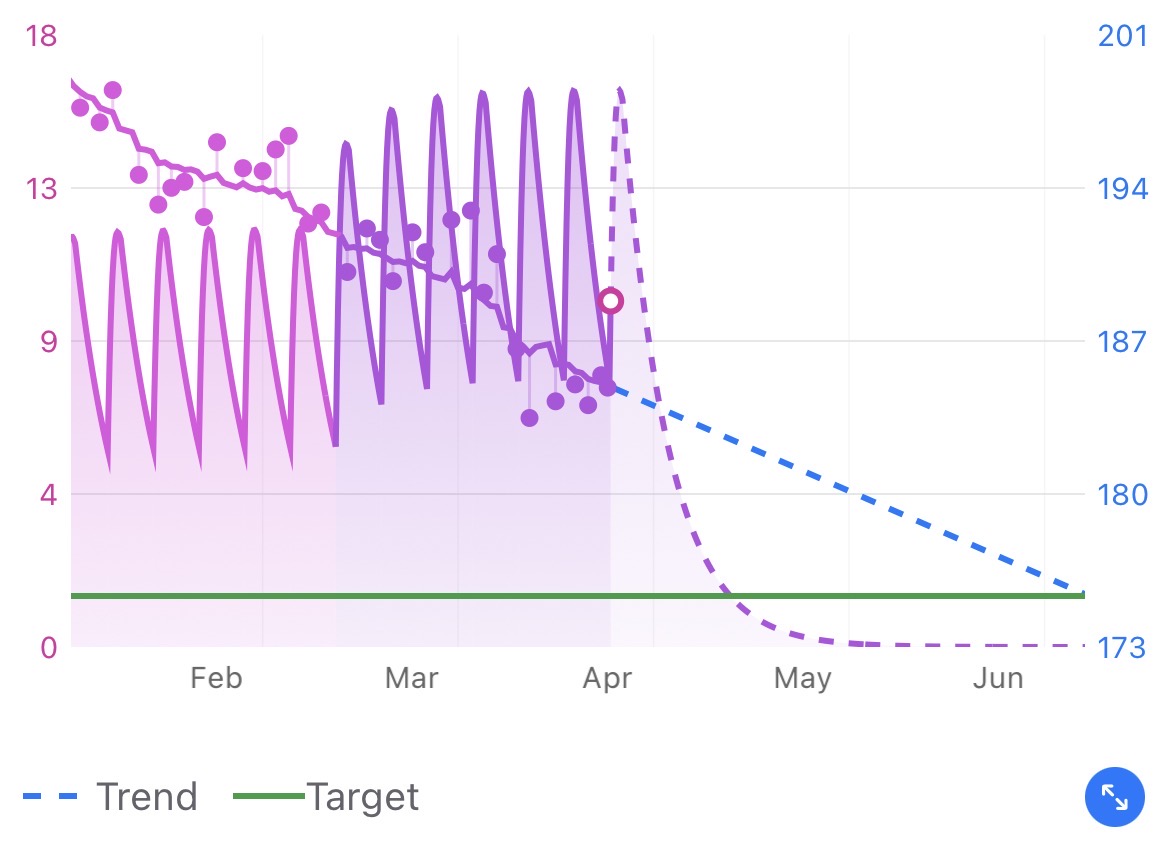
Pokii uses a smoothing technique that looks at your entire weight history — from your first weigh-in all the way through your most recent one. It's not limited to just the last week or month. The more data you have, the more reliable the trend becomes.
The algorithm runs in two passes — forward and backward through your data — then blends the results. This means the trend line won't overreact to a single high or low reading, and it adjusts smoothly when your weight changes direction (like going from losing to maintaining).
Tip: Don't stress about one weigh-in that seems off. The trend line is designed to absorb those bumps. If the trend line is heading in the right direction, you're on track — even if today's number isn't what you expected.The dashed line picks up where the solid trend line ends (at your latest weigh-in) and projects forward. It uses the speed and direction of your current trend to estimate where you're heading.
Keep in mind — this is a projection, not a guarantee. It updates every time you log a new weight, so it gets more accurate as you add data.
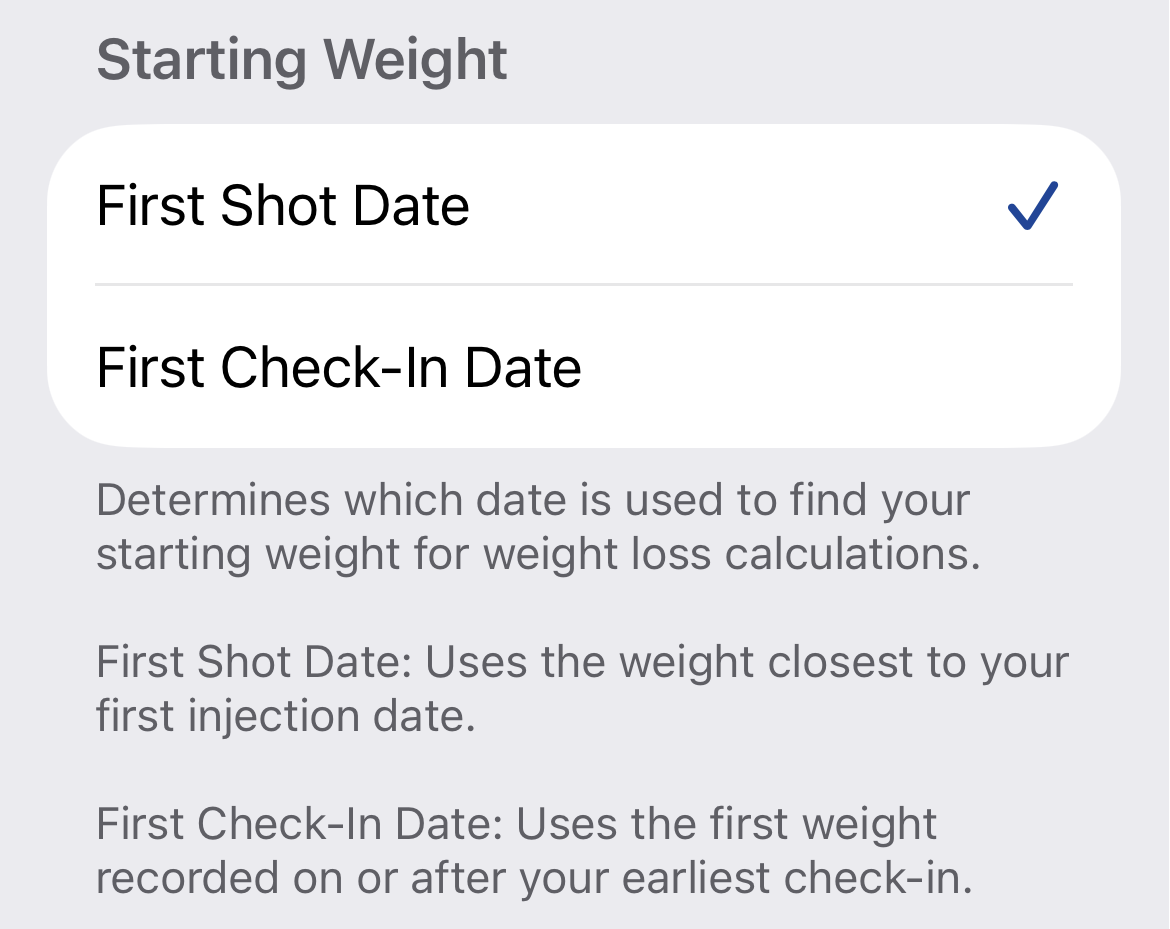
The trend line uses weight data starting from either your first shot date or your first check-in date, depending on which option you've chosen in Settings.
To check or change this: go to Settings → Charts → Starting Weight and choose between First Shot Date or First Check-In Date. This determines the earliest point your trend line will start from.
 Note: If you have weight entries recorded before your chosen starting point, those won't be included in the trend calculation. The trend only uses data from your starting date forward.