← Back to Help Center
Adding Weight Entries
You can log today's weight right from the Dashboard, or backfill past entries a few different ways. Pokii also syncs with Apple Health, so your data stays in one place.
Add Today's Weight
- Open Pokii and go to the Dashboard.
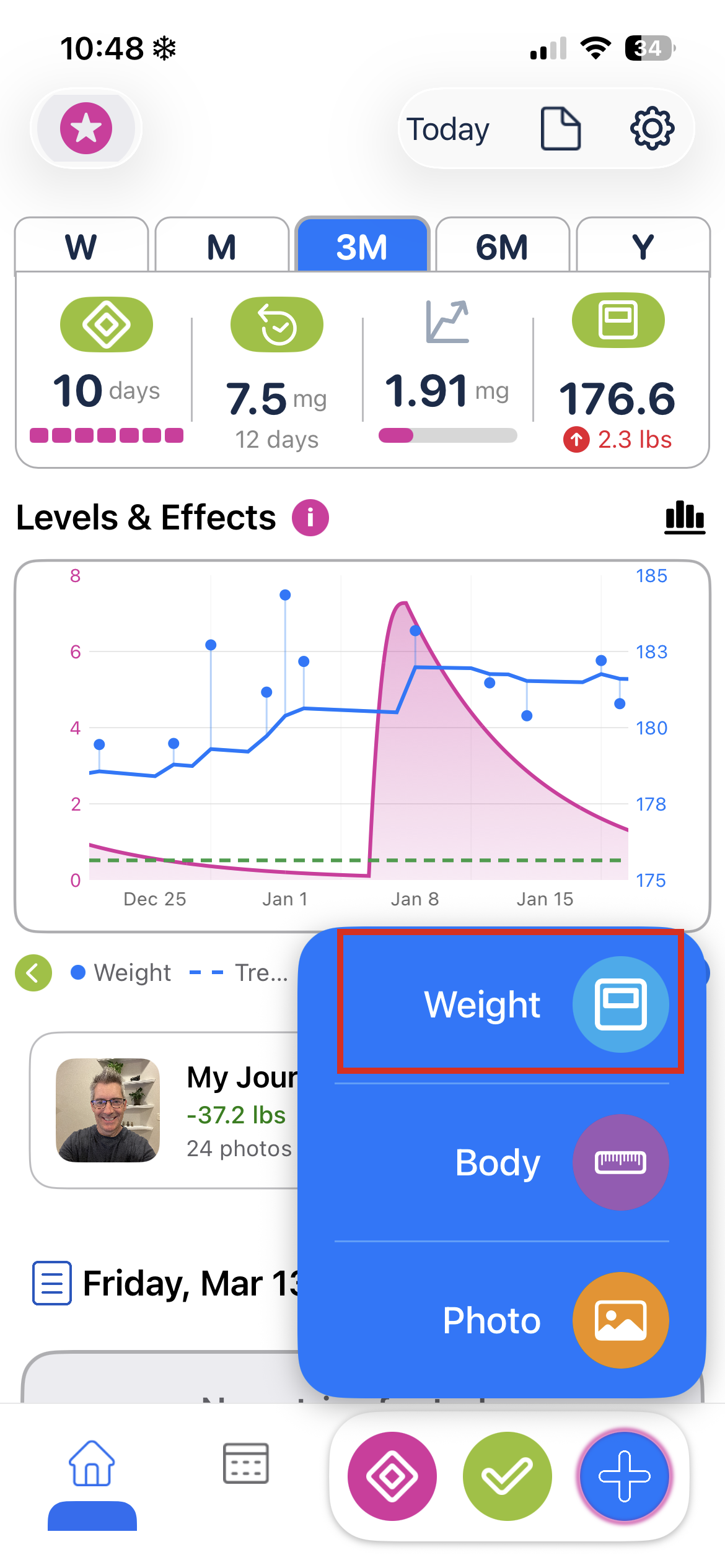
- Tap the + button in the bottom nav bar (bottom right).
- Tap Weight from the menu that appears.
- Select your weight and tap Add.
The chart updates right away, and the entry is written to Apple Health automatically (if you've given Pokii permission).
Add a Past Weight
There are a couple of ways to backfill weight entries — directly in Pokii, or through Apple Health.
Option 1: Use the Date Picker
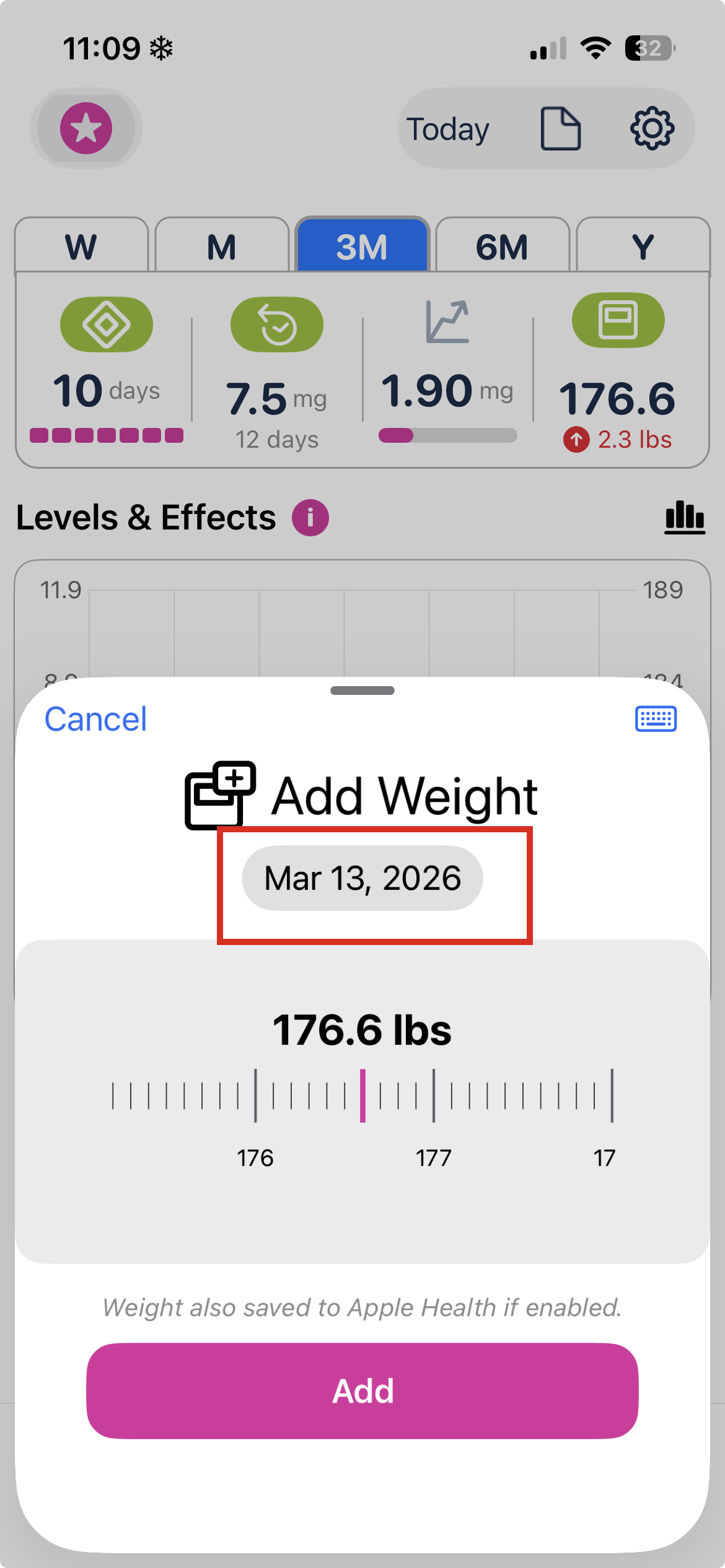
When the weight dialog opens, tap the Date to pick any date from a date picker.
Option 2: Use the Calendar
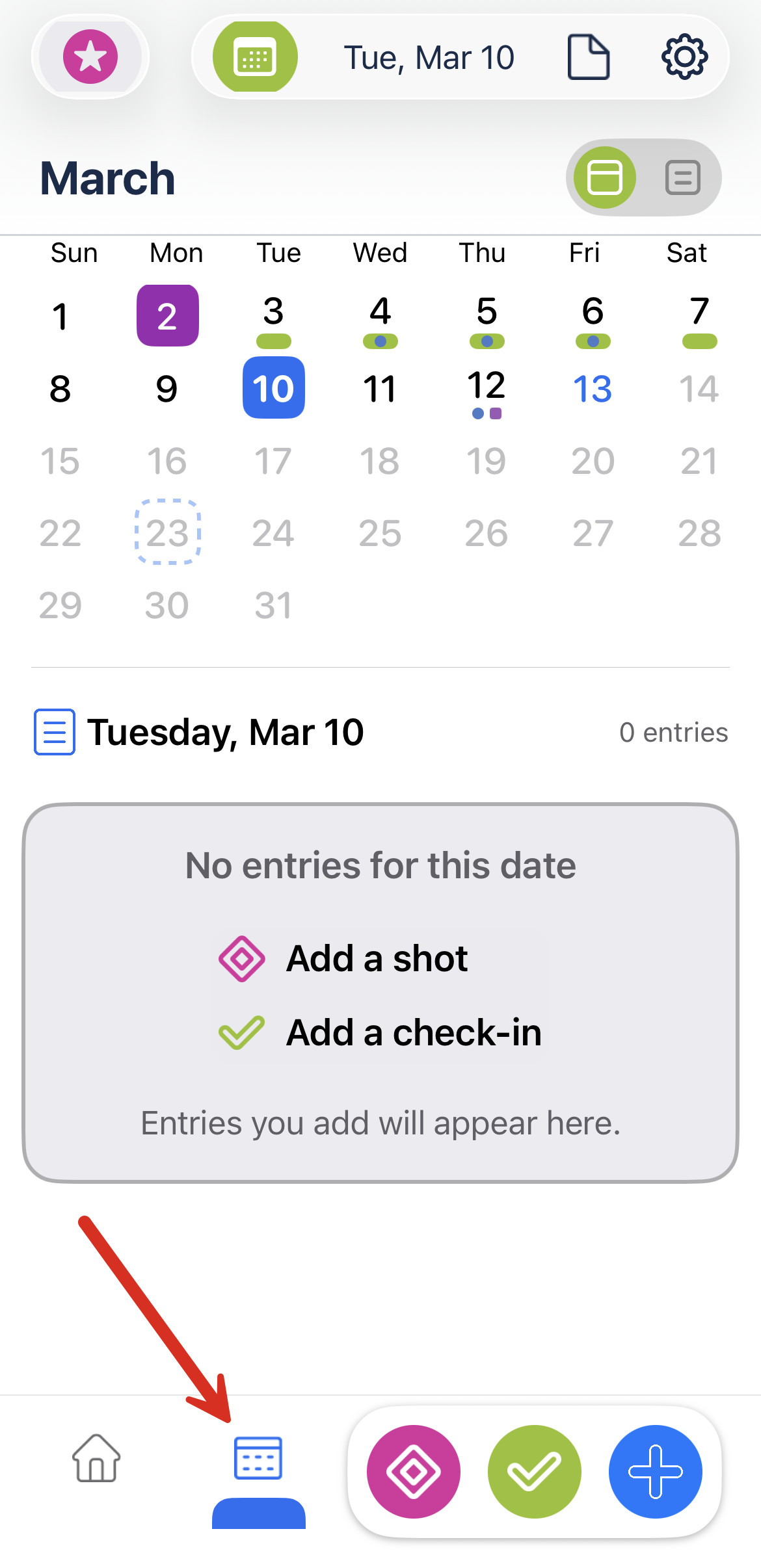
- Tap the Calendar icon (bottom right) to open the Calendar view.
- Select the date you want to log weight for.
- Tap the Home icon (bottom left) to go back to the Dashboard.
- Tap the + button in the bottom nav bar and select Weight.
- Enter your weight and tap Add — it'll be saved for the date you selected, not today.
Option 3: Add in Apple Health
You can also enter past weights directly in Apple Health and Pokii will pick them up automatically (if you have enabled Apple Health permissions).
- Open the Apple Health app.
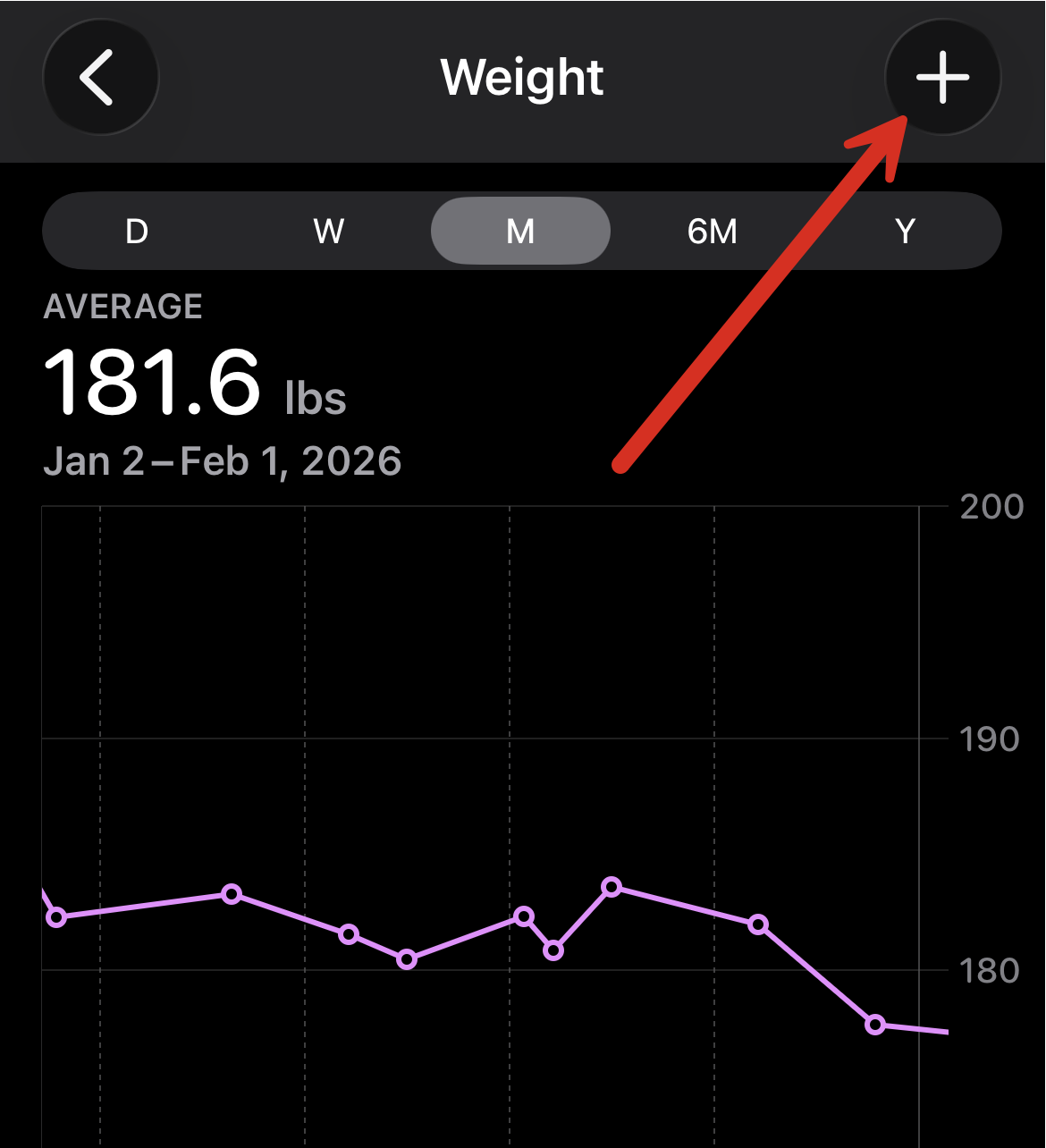
- Go to Browse → Body Measurements → Weight.
- Tap Add Data in the top right.
- Enter your weight and set the correct date.
- Back in Pokii, swipe down on the chart to refresh — your entry will appear.
 Tip: Make sure Pokii has Apple Health permission for weight reads and writes. You can check this under Settings → Support & Data → Apple Health.